Wednesday, September 7, 2011

HARDWARE - Motherboard

MotherBoard

Motherboard is the main circuit board which has some electronic components attached to it and others built into it. CPU, expansion slots, expansion cards, RAM slots, ports and connectors are the components on the motherboard.

The location of the slots for central processing unit (CPU), expansion slots, expansion cards, RAM slots, ports and connectors


DIAGRAM FOR COMPONENTS OF A MOTHERBOARD AND LOCATION OF EXPANSION SLOTS AND PORTS


  • PCI slots or expansion slot is a where expansion cards are attached to the motherboard. Examples of expansion cards are
    • Video Graphic Accelerator Cards(VGA),
    • Network Inteface Cards(NIC),
    • TV Card or Audio Card
  • Dimm Memory Channel or Ram slots is connector where RAM is inserted
  • CPU Socket is where the CPU is housed ( on the diagram its labeled as mPGA 476 Socket)
  • IDE connectors are for connecting hard disk or CDrom

Ports and connectors


EXAMPLES OF PORTS


HARDWARE - input and output device

Input devices used for text, graphic, audio and video

Input devices are any hardware components that allow user to enter data and instructions into a computer.

Input Devices For Texts - Keyboard, virtual keyboard (on the screen) & an optical reader (uses a light source to read characters, marks and codes and then converts them into digital data that a computer can process e.g. barcode reader.

Input Devices For Graphics - Scanner is a device that captures images from photographic prints, posters, magazine pages and similar sources for computer editing and display. Digital camera allows you to take pictures and store the photographed images digitally.

Input Devices For Audio - Audio input can be speech, music or sound effects. Audio input devices are such microphone( to record or give command to the computer) and digital musical instruments like the Musical Instrument Digital Interface (MIDI) keyboard ( to play and record music ).

Input Devices For Video - Video input can be from a digital camera, webcam or Closed-Circuit Television (CCTV). CCTV video camera is a type of digital video camera that enables a home or small business user to capture video and still images. A webcam is any video camera that displays its output on a web page. A digital video camera allows you to record full motion and store the captured motion digitally.

Pointing Devices - A pointing device is another form of input device that enables the user to freely move an on-screen pointer to select text, menu options, icons, and other on-screen objects. Pointing devices such as a mouse (has buttons, a rolling ball or an optical reader), trackball ( a stationary device with a ball on top or at the side), joystick ( a vertical lever for control), gamepad (game controller held in both hands with thumbs and fingers to control), graphics tablet and touch screen ( used to input spatial data into the computer. Spatial data refers to data that is continuous and multi-dimensional).

Output devices used for text, graphic, audio and video

Output device is any device that is capable of delivering or showing information to one or more user. An output device shows prints and present the results of a computer’s work e.g. speaker, monitor, LCD projector, Printer, Plotter.

A monitor is an example of an output device that can be used to display text. It can also display graphics and video. It accepts video signals from a computer and displays information on its screen.

A printer is another example of an output device that can be used to print text, apart from graphics, on mediums such as paper, transparency film or even cloths. A photo printer is a colour printer that produces photo-lab-quality pictures.

An image setter produces high quality output compared to an ordinary laser printer. An image setter is a high resolution output device that can transfer electronic text and graphics directly to film, plates, or photo-sensitive paper.

A pair of speakers is an audio output device that generates sound. The headphone is a pair of small speakers placed over the ears and plugged into a port on the sound card. A woofer or subwoofer is used to boost the low bass sound and is connected to the port on the sound card.

A Liquid Crystal Display (LCD) projector uses its own light source to project what is displayed on the computer on a wall or projection screen. A digital light processing (DLP) projector uses tiny mirrors to reflect light which can be seen clearly in a well-lit room.

DATA MEASUREMENT..

The relationship of data representation

Bit - A bit is the smallest unit of data that the computer can process. Bit is a short for binary digit. A bit is represented by the numbers 1 and 0. These numbers represent the binary system. They correspond to the states of on and off, true and false, or yes and no. All digital data use the binary system to process the information. This information includes letters, digits or special character.

Byte - Byte is a unit of information built from bits. One byte is equals to 8 bits. Eight bits that are grouped together as a unit. A byte provides enough different combinations of 0s and 1s to represent 256 individual characters. One byte represents a single character such as the number 3, letter b or a $ symbol. Bits and bytes are the basis for representing all meaningful information and programs on computers.

Character - Computers does not understand letters, numbers, pictures or symbols. Computers uses binary system to count only as it only recognizes two states that are 0 and 1. A byte represents a single character in the computer. One character such as A, 7, 9 and + is eight bits that are grouped together. A byte provides enough different combinations of 0s and 1s to represent 256 individual characters. For example, the capital letter F is represented by the binary code 01000110 that can be understood by the computer system.

Coding Scheme

The combinations of 0’s and 1’s are defined by patterns. These patterns are called coding system or schemes. There are three character codes or coding schemes to represent characters which are ASCII,EBCDIC and Unicode. ASCII is most widely used for personal computers. EBCDIC was developed by IBM and is used primarily for large computers like mainframes and high end servers.

The 256 character capability of ASCII and EBCDIC is to small to handle characters that are used by other languages such as Arabic, Japanese and Chinese. The Unicode coding system are designed to solve this problem. It uses two bytes (16bits) combination to represent one character. This gives it capability to represent 65,536 different characters. This can cover all the world’s languages. Unicode is downward-compatible with ASCII meaning that Unicode can recognize ASCII

ASCII (American Standard Code for Information Interchange) was established to:

  • To make it possible for humans to interact with a digital computer that processes only bits.
  • achieve compatibility between various types of data processing equipment making it possible for the components to communicate with each other successfully.
  • enables manufacturers to produce components that are assured to operate correctly in a computer.
  • make it possible for humans to interact with a computer. It also enables users to purchase components that are compatible with their computer configurations

Units of data measurement

Bit - A bit is represented by the numbers 1 and 0. They correspond to the states of on and off, true and false, or yes and no.

Byte - 1 byte = 8 bit

Kilobyte (KB) - 1 KB = 1024 bytes or 1 KB = 210 bytes

Megabyte (MB) - 1 MB = 1 048 576 bytes or 1 MB = 220 bytes

Gigabyte (GB) - 1 GB = 1 073 741 824 bytes 1 GB = 230 bytes

Terabyte (TB) - 1 TB = 1 099 511 627 776 bytes or 1 TB = 240 bytes

Note:

1 KB = 1 024 byte

1 MB = 1 024 KB = 1 048 576 byte

1 GB = 1 024 MB = 1 048 576 KB = 1 073 741 824 byte

1 TB = 1 024 GB = 1 048 576 MB = 1 073 741 824 KB = 1 099 511 627 776 byte

Units of clock speed measurement

Clock speed or computer speed means how fast a computer can process data. In other words, this means the speed the computer can turn data into information. It is measured by a system clock that is situated in the microprocessor.

The clock speed is measured in hertz which means once machine cycle per second. The speed of the system clock has no effect on the speed of printers or disk drives.

The combination of speed and number of paths determines the total processing speed or channel bandwidth as it is sometimes referred to. This is because different processors use different architecture.

For example:-

1.4 GHz Pentium 3à 1.4 GHz Pentium 4à 1.4 GHz Power PC G4


Hertz & Seconds

· A hertz is one cycle per second.

· Megahertz (MHz) – 1 Megahertz (MHz) equals to one million cycles of the system clock. (Mega is a prefix that stands for million. A computer that operates at 933 MHz has 933 million clock cycles in one second.)

· Gigahertz (GHz) -1 Gigahertz (GHz) equals to one billion cycles of the system clock. In relation with megahertz, 1.0GHz is equivalent to 1000 MHz. Giga is a prefix that stands for billion. GHz is most often used as a measurement of a PC processor chip and power, with bigger numbers meaning more speed and higher price. A microprocessor that runs at 200 GHz executes 200 billion cycles per second. For a 2.4 GHz machine . Its clock rate is 2.4 billion cycles per second.)

COMPUTER SYSTEM


Definition

A computer system is defined as an electronic device with a combination of components designed to accept(input) and process data according to specific rules(process) to produce results(output) which can be stored for future use(storage). A computer system consists of four major hardware components; input devices, output devices, processor and storage devices. A computer system requires hardware, software and a user to fully function.

Input - Input is any data or instructions that we enter into the computer system for processing. There are four types of input: which are text, graphic, audio and video. Example of input devices are keyboard, light pen, joystick, microphone, mouse, video & digital camera.

Process - The processing unit controls all activities within the system. The CPU is an

example of a processor. It has the same important as the brain to human being. The processor interprets and carries out the basic instructions that operate the computer. Example of processors or CPU are Pentium IV, AMD Athlon, G4.

Storage - Storage is a location which data, instruction and information are held for future use. It is the physical material that keeps data, instruction and information. There are two types of storage. They are the primary storage and secondary storage. The example of storage devices are RAM and ROM(primary storage), hardisk, Floppy Disk, diskette, CD ROM and DVD ROM(secondary storage).

Output - Output is data that has been processed into a useful form, called information. There are four types of output, which are texts, graphics, audio and video. Example of output devices are monitor, printer, speaker and plotter.

The information processing cycle

Input - Users input data or instruction into the computer system to be process. Input could be either text, graphic, audio or video. Input devices are used by users to input data. Input devices are any electronic device connected to a computer and produces input signals.

Process - Data or instruction being input into the computer system is then processed by the CPU which controls all activities within the system. The results of the processed data are then sent to an output device as usable data. Examples of CPU or processors are Intel Pentium 4, AMD K6 Athlon, Win Chip 2, Cyrix 686, Intel Celeron.

A CPU interprets the data and carries out the instructions by processing data and controlling the rest of the computer’s components. A CPU consists of two subcomponents; the Control Unit (CU) and the Arithmetic Logic Unit (ALU).

· CU or Control Unit main function is to direct the CPU to process data by extracting instructions from memory and decodes and executes them. It tells the rest of the computer system how to carry out the program’s instructions. It directs the movement of the electronic signals between the memory, which holds data, instructions and processed information, and the arithmetic logic unit. It also directs these control signals between the CPU and the I/O devices.

· The ALU or arithmetic-logic unit performs two types of operations: arithmetic and logic. Arithmetic operations are fundamental mathematical operations: addition, subtraction, multiplication and division. Logical operation consists of comparisons. That is two pieces of information or data are compared to see whether the result is equal, less than or greater than.

· The CPU manages a four-step basic operation which is called a machine cycle. The steps are Fetching, Decoding, Executing & Storing.

The Machine Cycle

Storage - Computer storage is important to help users store programs and data to be used at a later time. It is also useful to keep current data while being processed by the processor until the information is saved in a storage media such as a hard disk or a diskette. Computer storage also stores instructions from a computer program. There are two type of computer storage; primary storage and secondary storage.

  • Primary storage is known as the main memory of a computer, including RAM (Random-Access Memory) and ROM (Read-Only Memory). It is an internal memory (inside the CPU) that can be accessed directly by the processor.
  • Secondary storage an external storage that refers to various ways a computer can store program and data. Many complex functions, such as translators for high-level languages and operating systems are placed in primary storage. Secondary storage is an alternative storage. It is very useful to store programs and data for future use.

Output - Output is the result of data processing activity when it is presented external to the system. The output from a computer can be in a form for use by people, for example, printed or displayed. There are four types of output, which are texts, graphics, audio and video.

Tuesday, September 6, 2011

MULTIMEDIA DEVELOPMENT


Construct : S08 Multimedia Product Development

Aspect : LA4.S08.1 Apply All The Phases Of Multimedia Production To Produce An Interactive Educational Multimedia Project.

Type of Instrument : Project


----> PLEASE SUBMIT BEFORE FINAL EXAM..THANK U...


TYPES OF NETWORK ARCHITECTURE

Client/Server

A client/server network is a network in which the shared files and applications are stored in the server but network users (clients) can still store files on their individual PCs. On a client/server network, one computer acts as a server that provides services to the clients when requested by the clients.

A server is a computer that shares infor

mation and resources with other computers

on a network and also controls access to hardwares and softwares besides providing centralized storage for the softwares or computer programs. A client is a computer which requests services or files from a server computer.

A client/server network is typically used when there is a constant need to access large files and applications or when multiple users want to share peripherals computer that shares information and resources with other computers on a network and also controls access to hardwares and softwares besides providing centralized storage for the softwares or computer programs. A client is a computer which requests services or files from a server computer.


Peer-to-Peer

Peer-to-peer network is a simple, inexpensive network with all the nodes acting as both servers and clients. A PC can access files located on another PC and can also provide files to other PCs. With peer-to-peer network, no server is needed; each computer in the network is called a peer.

All computers in the peer-to-peer network has equal responsibilities and capabilities to use the resources available on the network. This type of network normally do not consist more than 10 connected computers.


Types of computer networks

Local Area Network (LAN)


LAN is a group of computers and network devices connected together, usually within the same building e.g.: within a school lab, office or your own home.. It is the smallest network compared to the other two networks. The simplest form of LAN is to connect two computers together. A network which consists of less than 500 interconnected devices across several buildings is still recognised as a LAN.

Inexpensive hardware used in LAN previously includes twisted pair, coaxial cables and the higher end is fiber optic or wireless. However, coaxial cables are now being replaced by a higher speed cabling system such as CAT5 using RJ45 connectors.

LAN is a very high speed network (from previously 10Mbps) to 100Mbps, which is faster than MAN and WAN.


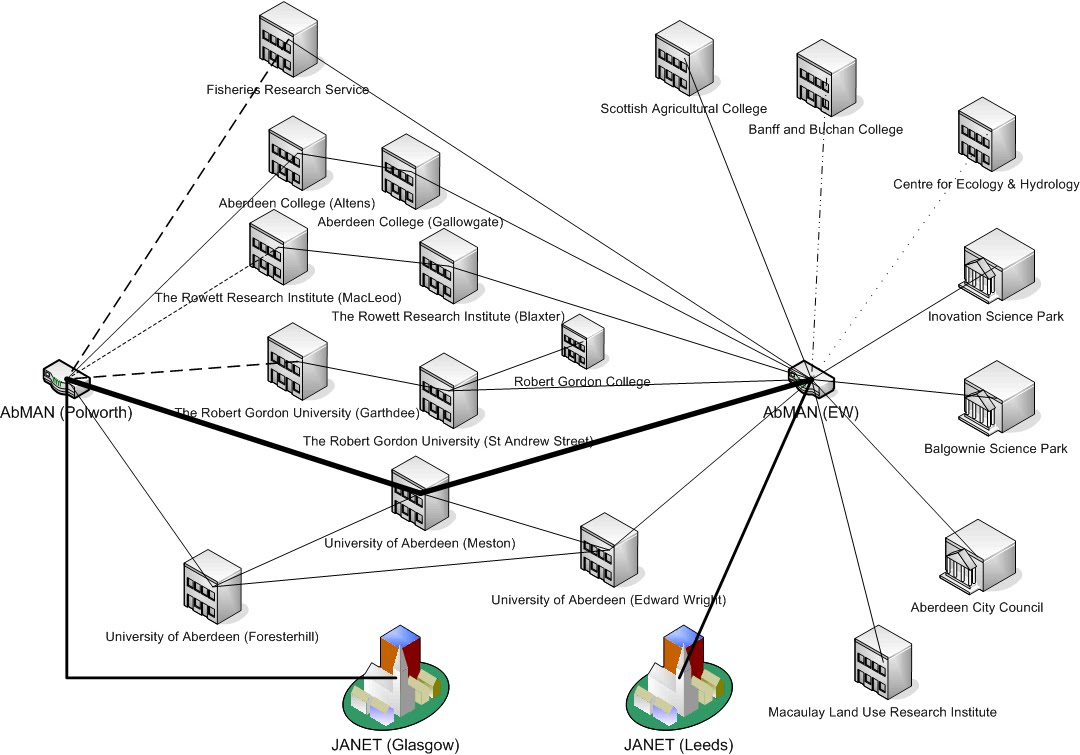
Metropolitan Area Network (MAN)

MAN can be defined as a group of computers and network devices connected together within a large physical area It is a high speed network that connects a collection of LANs and handles a bulk of communication activities within a metropolitan area or the same geographical area, for instance a city e.g. within a city or town. Companies that have several branches within the Kuala Lumpur city such as banks, might find a MAN useful to them. In this case, setting up a MAN across long distances can be best connected using fiber optics.

MAN often acts as a high speed network (although not as fast as a LAN) to allow sharing of regional resources. However the area covered by a Man is relatively smaller than the area covered by WAN


Wide Area Network (WAN)

WAN is the largest network of all network types. It can be considered as a collection of LANs or MANs or the mix of two with a very large geographical area, for instance a country or even beyond the border e.g.: between KL and London. The Internet is the largest WAN in the world using combinations of many types of media such as telephone lines, cables and radio waves.

An example in the society using WAN is the banking organisation. Local banks have always maintained their business online by connecting all computers of their branches in the countries. International banks also use WAN to connect their computers all over the world. A device called a router is needed to connect the MANs and LANs all over a large physical area.

A router is a special networking device that connects two or more different networks and keeps data flowing between them. A router makes all the different networks communicate, such as connecting LAN to LAN, LAN to WAN or WAN to WAN. The transmission media in WAN uses the fibre optic cable. WAN is still considered a fast network with speeds 20 – 2000 Kbps, but slower than LAN and MAN.